 Download
BlueDriver® is a premium OBD2 diagnostic scan tool. Learn more at www.BlueDriver.com
BlueDriver® is a professional-grade OBD2 diagnostic scanner, trusted by mechanics, car enthusiasts, and everyday drivers who want deeper insight into their vehicle's performance and solutions when the Check Engine Light turns on.
Main Features:
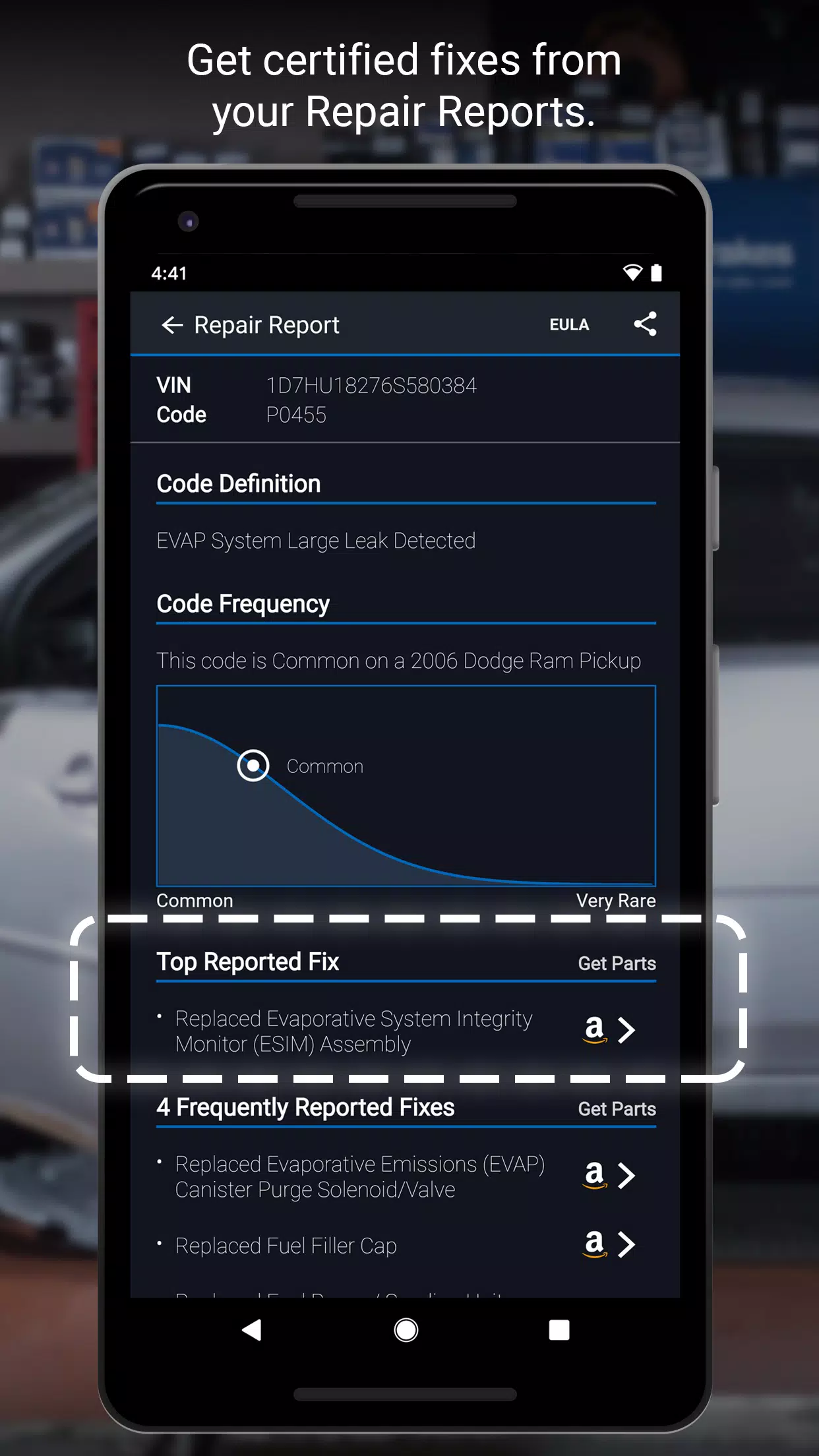
• Create, print, and share detailed Repair Reports
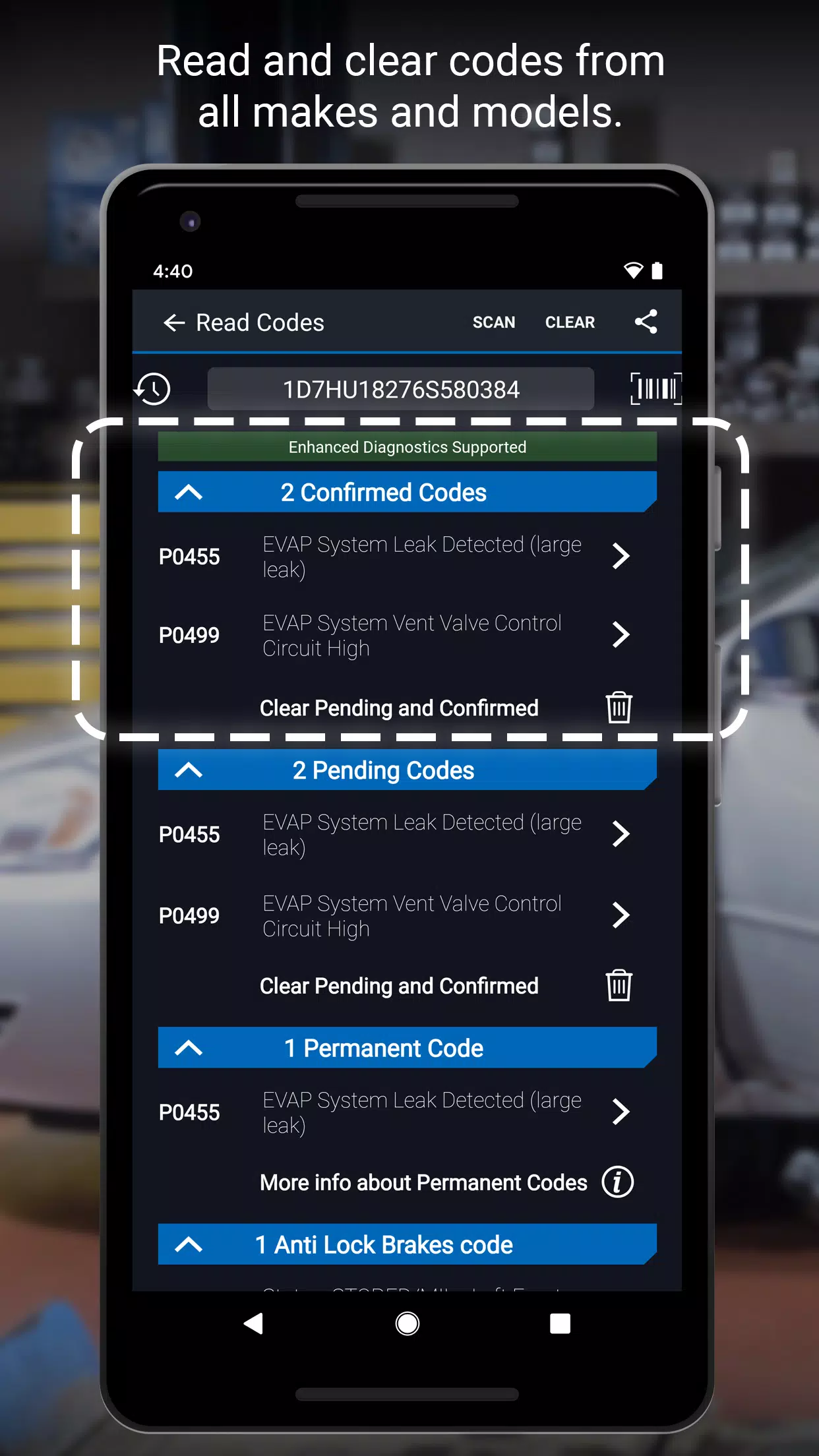
• Scan for diagnostic trouble codes
• Clear trouble codes from your vehicle's system
• Advanced diagnostics for systems like ABS, Airbag, and Transmission, available for:
- GM, Ford, Chrysler, Toyota, Nissan, Mazda, Mercedes (2005 and newer), Mitsubishi (2008 and newer), Hyundai/Kia (2012 and newer) – worldwide compatibility
- BMW/Mini, Honda/Acura, Volkswagen/Audi – available in North America
- Subaru – available in the United States
• Access Mode 6 On-Board Monitoring Test Results
• Perform Smog Readiness Checks
• Review Freeze Frame Data
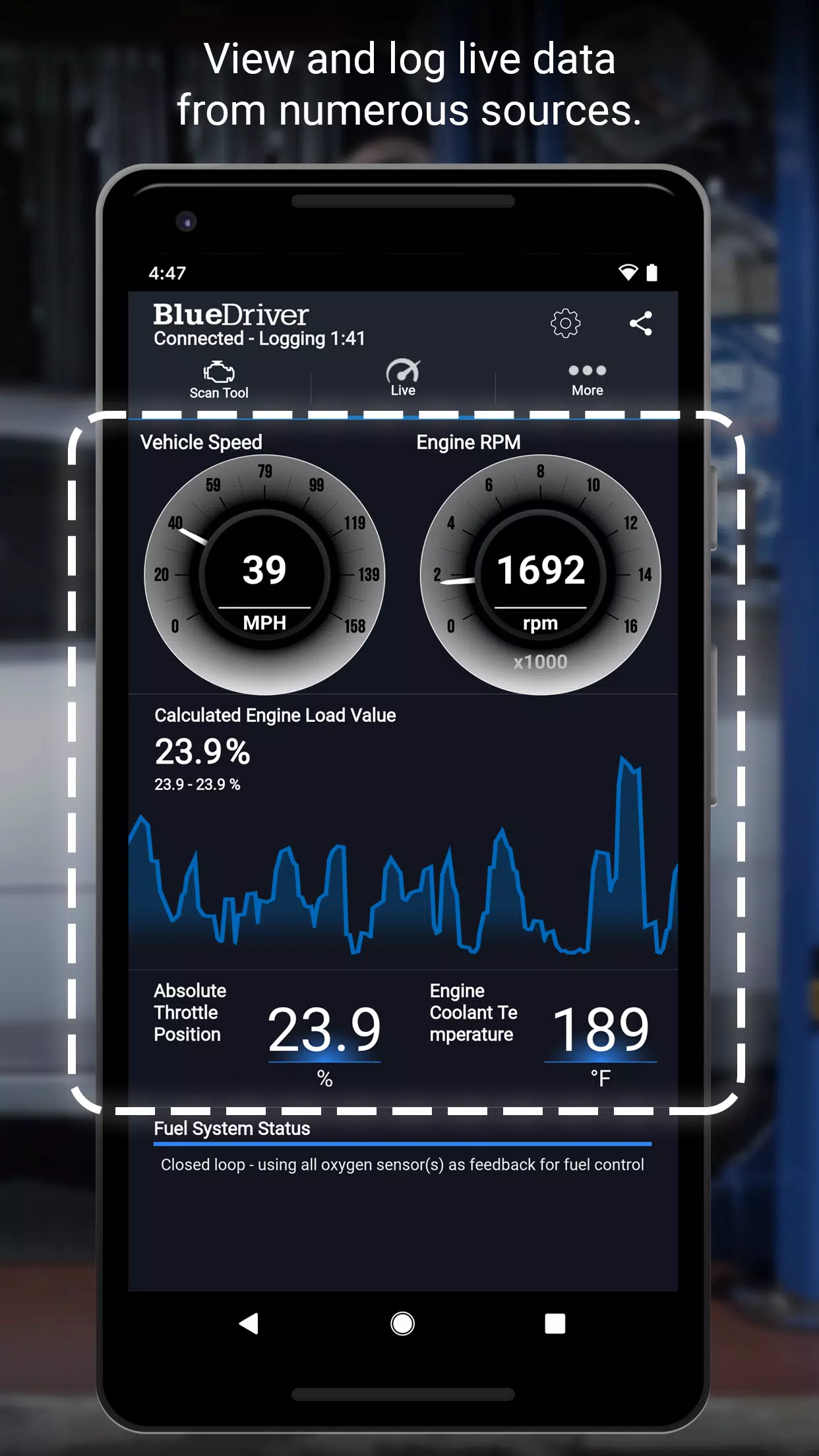
• Graph and log multiple data parameters (PIDs)
• Wireless connectivity – no cables required
• Switch between Metric and Imperial units
•••••••• BlueDriver Repair Report Details ••••••••
BlueDriver’s Repair Database includes over 30 million verified fixes for diagnostic trouble codes (DTCs), ranked by frequency and relevance. Each Repair Report is tailored to your vehicle’s year, make, and model, offering clear, prioritized repair steps instead of vague definitions. Use BlueDriver to save time and focus on the right fix. Try the Repair Report preview in the app.
•••••••• Important Information ••••••••
The BlueDriver app is free to download, but requires the BlueDriver Bluetooth® OBD2 Sensor to communicate with your vehicle. The sensor is sold separately via the 'More' tab in the app or at www.BlueDriver.com. You can still generate Repair Reports without the sensor by selecting 'Repair Reports' > 'New Report' and entering your VIN and trouble code.
The BlueDriver Sensor plugs easily into your car’s data port, located near the steering wheel. All cars manufactured since 1996 include this port. BlueDriver works globally and is compatible with vehicles worldwide.
See why thousands of BlueDriver users love our tool – visit www.facebook.com/BlueDriver.f
Follow us on Twitter @BlueDriver_tw
What's New in Version 7.14.2
Last updated on Nov 9, 2024
- General performance improvements