
How to Use Cheats in Balatro (Debug Menu Guide)
Balatro, the 2024 breakout hit selling over 3.5 million copies and earning multiple Game Awards, maintains immense popularity. However, seasoned players might seek ways to refresh their gameplay. While mods offer one solution, accessing Balatro's built-in developer debug menu provides an alternative, preserving achievements. This guide details how to enable and utilize this cheat menu.
Quick Links
Enabling Cheats in Balatro
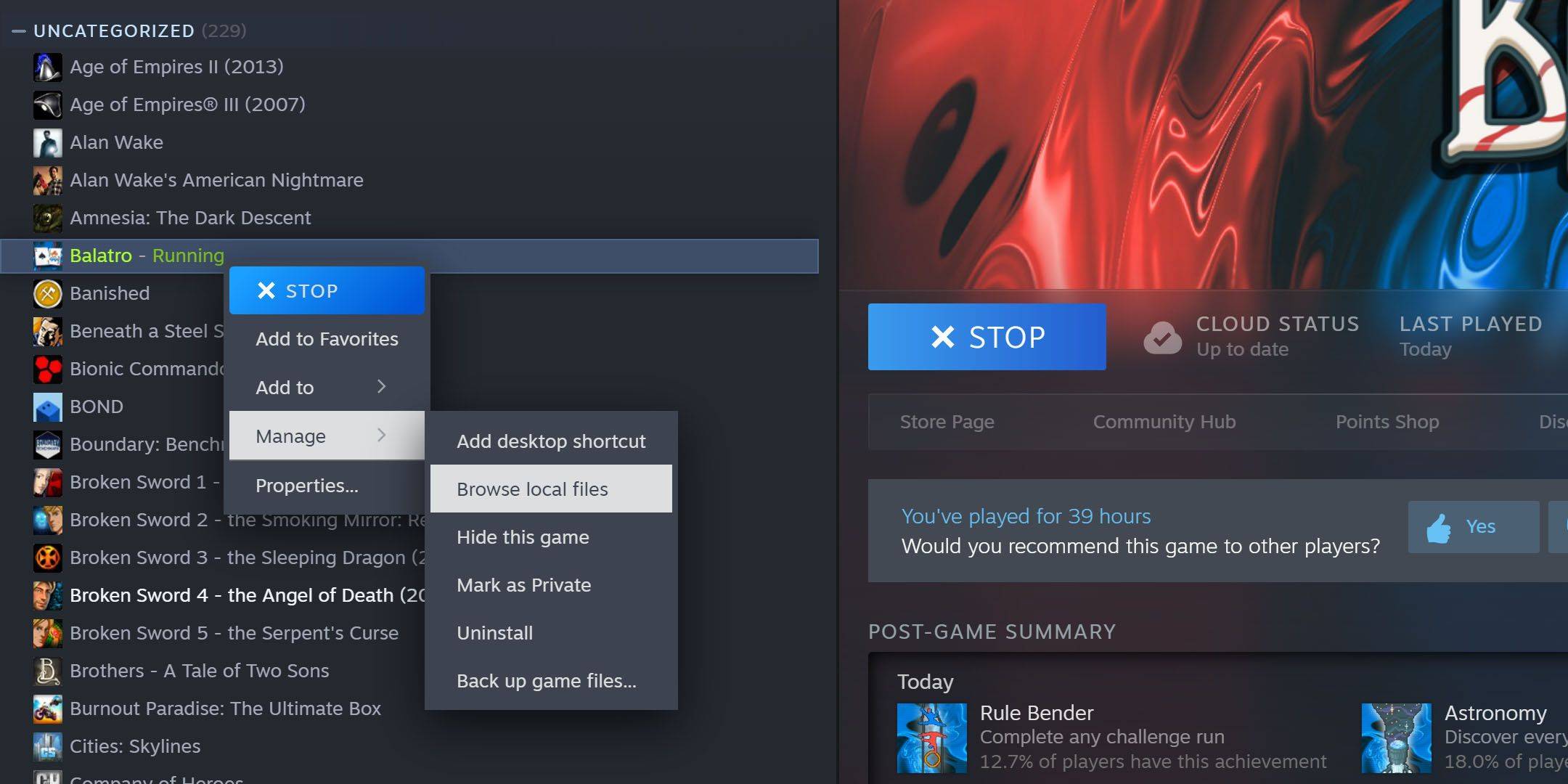 To activate Balatro's debug menu and cheats, you'll need 7-Zip (free, open-source software). Locate your Balatro installation directory (typically
 C:\Program Files (x86)\Steam\steamapps\common\Balatro). If unsure, find Balatro in your Steam library, right-click, select "Manage," then "Browse Local Files."
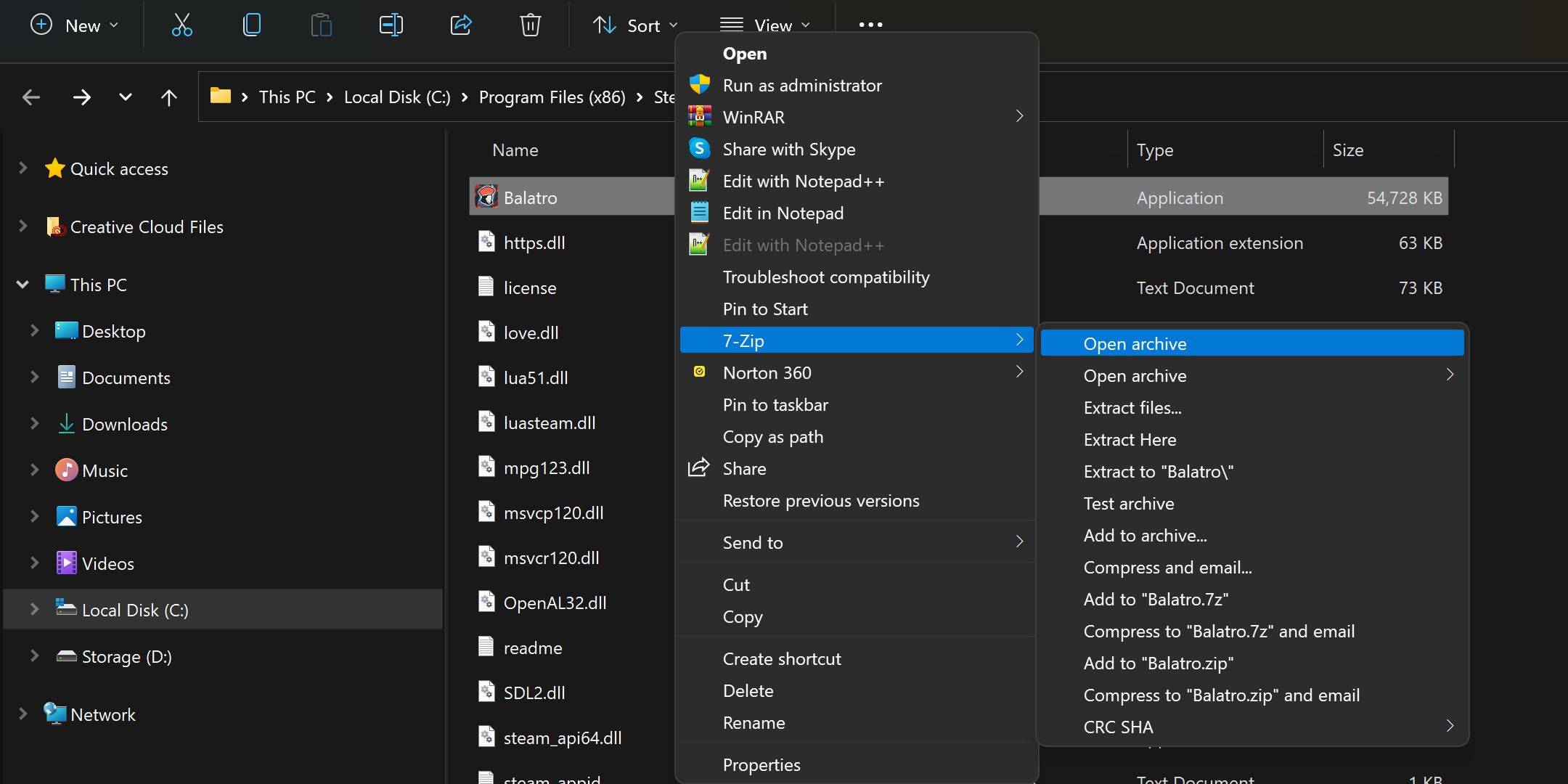 Right-click
 Balatro.exe and open the archive using 7-Zip (may be under "Show More Options"). Locate conf.lua and open it with a text editor (e.g., Notepad).
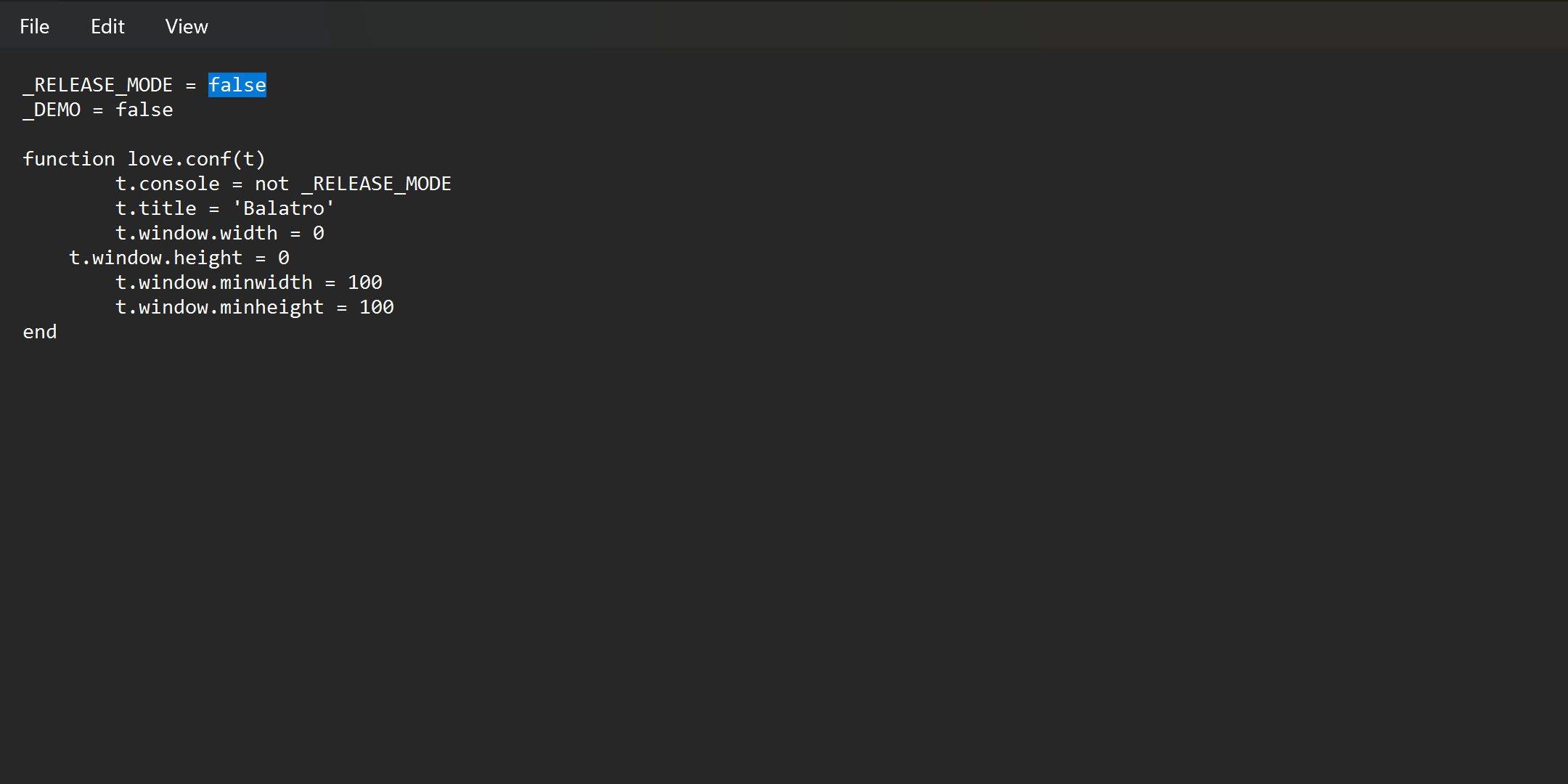 Modify
 _RELEASE_MODE = true to _RELEASE_MODE = false, save the file. If saving fails, extract conf.lua to your desktop, make the change, and replace the original. The debug menu (accessed by holding Tab in-game) will now be active. To disable, revert _RELEASE_MODE to true.
Using the Debug Menu in Balatro
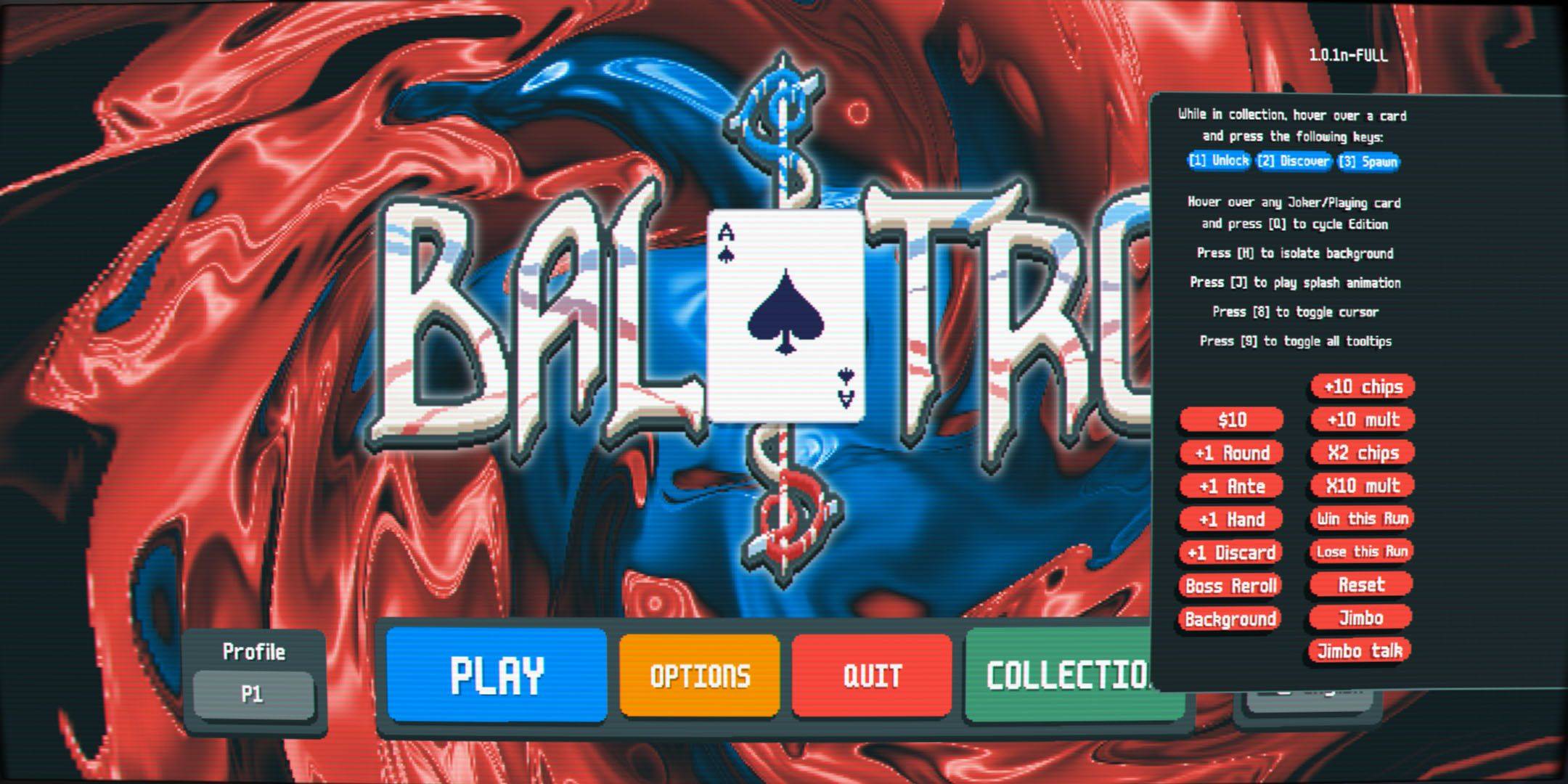 Balatro's cheat menu is user-friendly. Unlock collectibles by hovering and pressing '1'; spawn jokers by hovering and pressing '3'. Initially limited to five jokers, pressing 'Q' four times on a joker in hand transforms it into a negative, effectively allowing unlimited jokers.
All Balatro Cheats (Hold Tab to Open Menu)
| Cheat / Key | Effect |
|---|---|
| 1 | Unlock a Collectible (while hovering) |
| 2 | Discover a Collectible (while hovering) |
| 3 | Spawn a Collectible (while hovering) |
| Q | Change Joker Edition (while hovering in hand) |
| H | Isolate Background |
| J | Play Splash Animation |
| 8 | Toggle Cursor |
| 9 | Toggle All Tooltips |
| $10 | Adds $10 to Total |
| +1 Round | Increases Round by 1 |
| +1 Ante | Increases Ante by 1 |
| +1 Hand | Adds one Hand |
| +1 Discard | Adds one Discard |
| Boss Reroll | Rerolls the Boss |
| Background | Removes Background |
| +10 Chips | Adds 10 Chips |
| +10 Mult | Adds 10 to Multiplier |
| X2 Chips | Doubles Chips |
| X10 Mult | Increases Multiplier by 10 |
| Win this Run | Completes Current Run |
| Lose this Run | Ends Current Run |
| Reset | Resets Current Run |
| Jimbo | Makes Jimbo Appear |
| Jimbo Talk | Displays Jimbo Text Box |
-
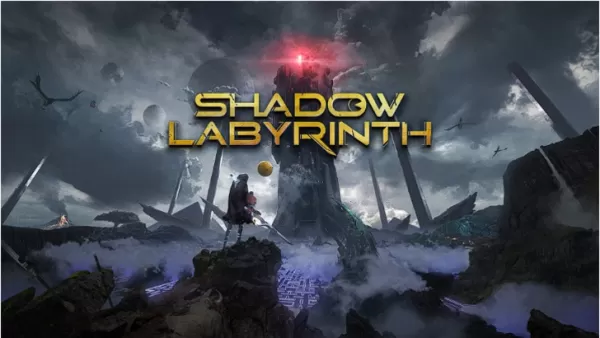 Shadow Labyrinth reinvents the iconic Pac-Man formula with a gripping dark fantasy twist! This action-packed platformer offers fresh challenges while honoring its arcade roots. Discover the latest updates on this highly anticipated title.← Return toAuthor : Allison Apr 26,2026
 -
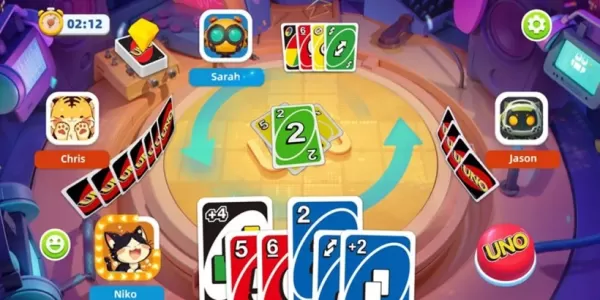 UNO: Arcade Edition is the newest digital adaptation of the timeless card game.Dive into fast-paced fun with Quick Play, Solo mode, and custom match options.Experience exclusive new rules like Wild Swap Hands and Double Discard All.Few classic card gAuthor : Lucy Apr 26,2026
-
 Wedding Fashion Makeup DressupDownload
 -
 Banana Trainer Vol.2Download
 -
 Idle Workout Master: MMA heroDownload
 -
 Monster Girl 1000Download
 -
 3001: A MILF OdysseyDownload
 -
 Hail To The KingDownload
 -
 Super Jogo da SaúdeDownload
 -
 Suspended Sex Simulator~Bound Mama and the Four GoblinsDownload
 -
 GaduatedDownload
 -
 Hunte: Space PiatesDownload




![Taffy Tales [v1.07.3a]](https://imgs.ehr99.com/uploads/32/1719554710667e529623764.jpg)




- Black Ops 6 Zombies: How To Configure The Summoning Circle Rings on Citadelle Des Morts
- Roblox: Latest DOORS Codes Released!
- Harvest Moon: Lost Valley DLC and Preorder Details Revealed
- Silent Hill 2 Remake Coming to Xbox and Switch in 2025
- Roblox: Blox Fruits Codes (January 2025)
- Roblox: Freeze for UGC Codes (January 2025)