 ダウンロード
Here's a clear, organized summary and guide for the First-Person Soccer Game Experience, tailored for new or returning players to help them quickly understand controls, gameplay modes, and how to set up local and online multiplayer:
🏆 First-Person Soccer Game Experience – Player Guide
Step into the action like never before with immersive first-person football gameplay — whether you're dribbling past defenders, striking powerful shots, or pulling off freestyle moves. Perfect for solo training or competitive matches.
🎮 Core Gameplay Features
-
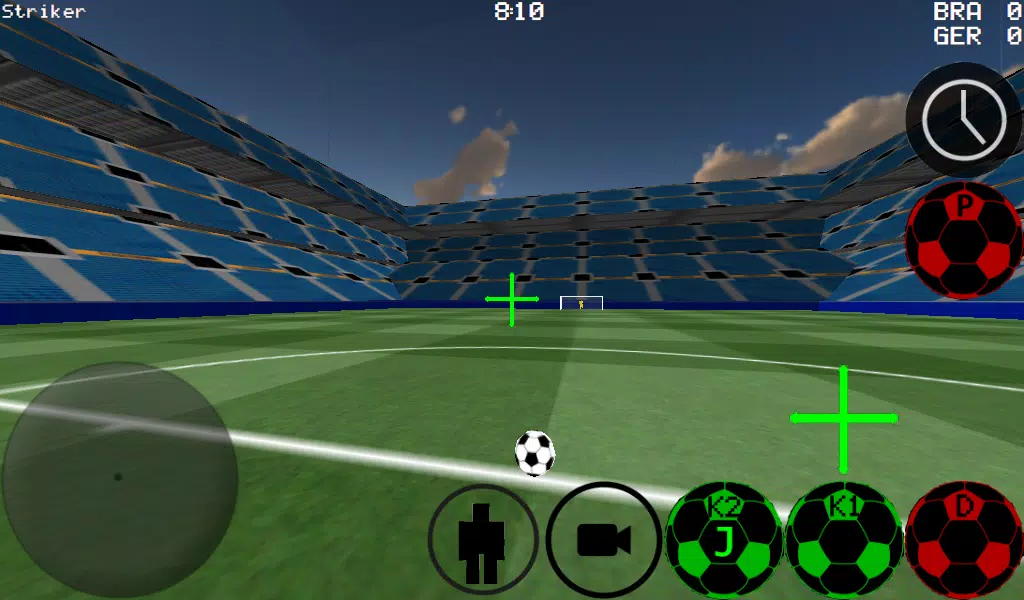
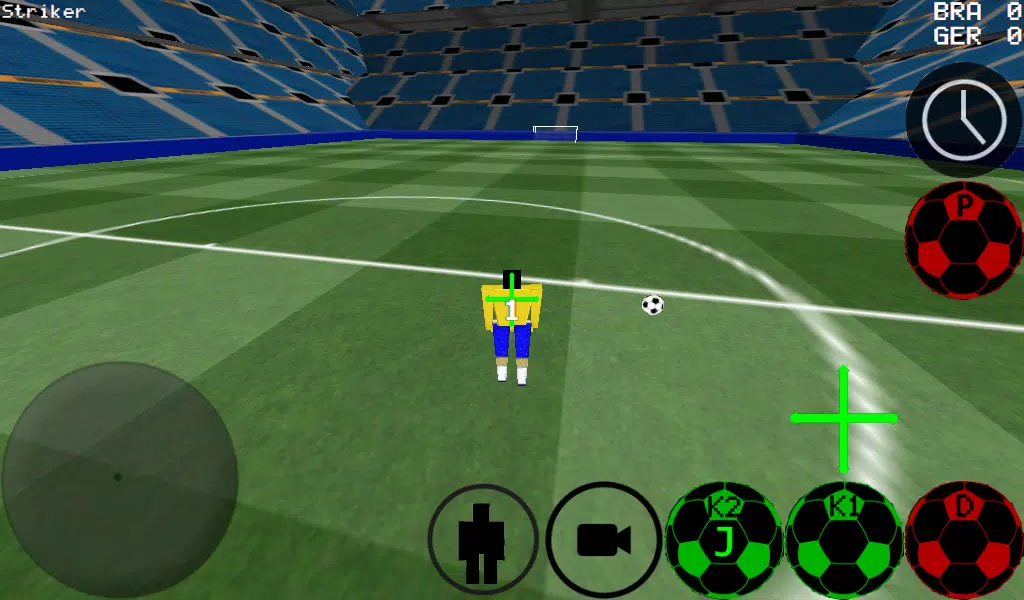
First-Person View (Default)
Feel every touch, kick, and save as if you’re on the pitch. -
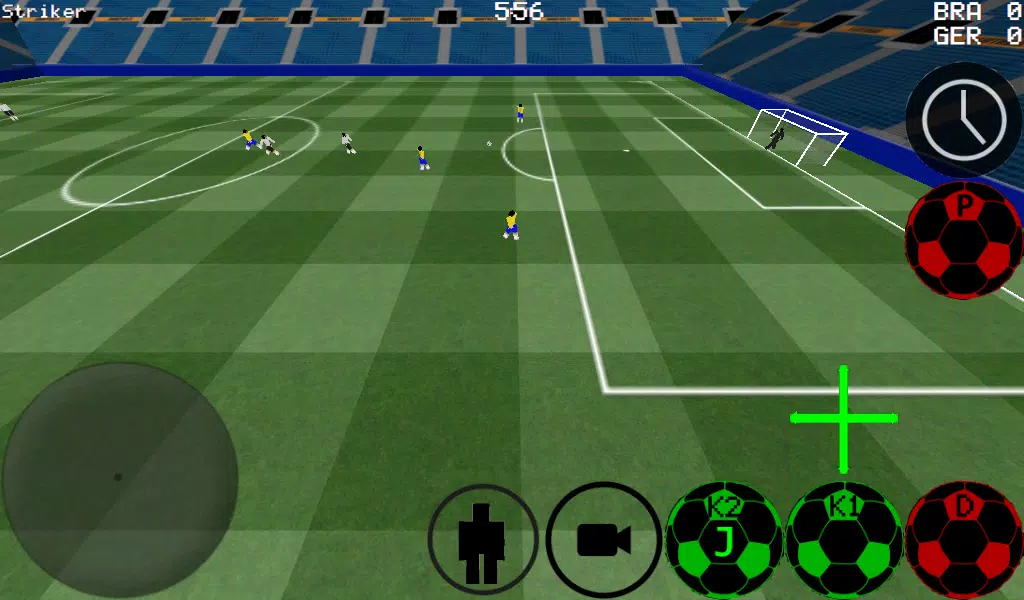
Multiple Camera Options:
- First-Person (default)
- Third-Person (follows your player)
- Top-Down (for tactical awareness)
- Stadium View (wide-angle, cinematic)
-
Advanced Ball Control
- Smooth dribbling with manual or auto-dribble modes.
- Left Stick (LH) = Move your player.
- A Button (Xbox 360) = Dribble / Control the ball.
- K1 / K2 Buttons = Kick in the direction you're looking.
-
Realistic Physics
- Control ball spin (curve shots, chips, swerves).
- Use slow-motion time (Left Button on D-Pad) to line up perfect passes, free kicks, or saves.
-
Complete Match Play
- 4v4, 6v6, 8v8, 11v11 — choose your squad size.
- Play as any player on the field.
- Goalkeeper Mode: Defend the net, make last-second saves, punch crosses.
-
Training & Skill Development
- Practice free kicks, corner kicks, and wall passing drills.
- Master freestyle moves (dribbling combos, tricks).
- Improve control with precision passing and receiving.
-
Multiplayer Support
- Play up to 5v5 online or LAN.
- Supports Xbox 360 USB Controller (experimental, may require driver setup).
🎛️ Xbox 360 Controller Layout (Recommended)
| Button | Function |
|---|---|
| Left Stick (LH) | Move your player |
| Right Stick (RH) | Camera control (pan/zoom) |
| A | Dribble / Control ball |
| X | Medium-power kick (in camera direction) |
| Y / Right Button | High-power kick (in camera direction) |
| B | Pass to selected teammate (AI-assisted pass) |
| START | Switch camera view (FP → TP → Top-Down → Stadium) |
| LEFT on D-Pad | Activate Slow-Motion Time |
| UP on D-Pad | Switch to next player (cycle through teammates) |
| BACK | Return to Main Menu |
| RIGHT on D-Pad | Toggle camera mode (if enabled) |
💡 Tip: Hold A + K1 for a controlled short pass; release K1 to kick forward.
🌐 How to Host a LAN Server (Local Network)
Perfect for playing with friends on the same Wi-Fi.
- Connect your device to the same Wi-Fi network as others.
- Open the game → Select LAN GAME.
- Tap START SERVER.
- Tap CONNECT (once or twice).
- You’re now hosting and playing.
✅ All players on the same network can join:
- Open the game → Select LAN GAME → Tap CONNECT (repeat until joined).
- Wait for the match to begin.
🌍 How to Play Online (Internet Match)
Host a game over the internet (requires port forwarding).
🔧 Server Setup (Host)
-
Port Forwarding Required
- Log into your router/modem settings (via browser).
- Forward port 2500 to your device’s local IP address (e.g., 192.168.1.100).
- Use static IP or DHCP reservation to keep the address consistent.
-
In-game:
- Go to LAN GAME → Tap START SERVER.
- Tap CONNECT (once or twice).
- You are now hosting the server.
🚶 Joining an Internet Game
- Open the game → Select LAN GAME.
- Tap IP / TO SERVER.
- Enter the host’s public IP address (e.g.,
201.21.23.21). - Tap CONNECT.
- Try 1–2 times if connection fails (check firewall/router settings).
⚠️ Note:
- Make sure firewall allows the app through (Windows Defender, etc.).
- If using mobile, ensure UDP port 2500 is open on your network.
- Some ISPs block ports; consider using a VPN or hosting via Game Server Hosting Service if issues persist.
🏟️ Stadiums
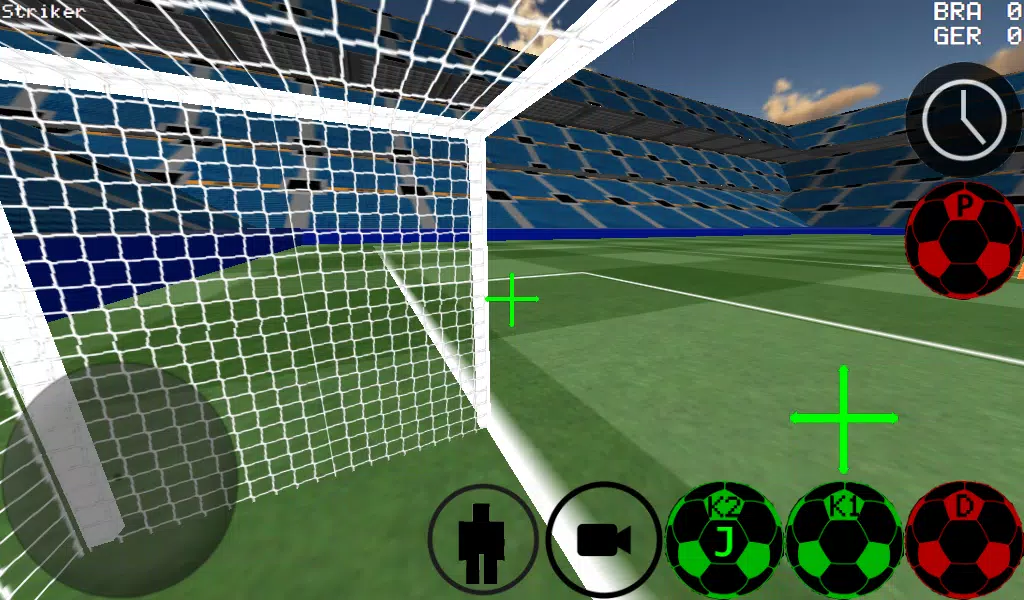
- Field 1: Modern grass pitch with lighting.
- Field 2: Classic stadium with crowd audio and ambient noise.
🎯 Pro Tips
- Use Slow-Motion (Left D-Pad) to time free kicks and penalty shots.
- For freestyle: Combine dribbling (A) + quick K1/K2 taps to spin and juggle.
- In defense, use the goalkeeper mode to track long balls and high crosses.
- Practice corner kicks using arc-based aiming (adjust camera angle to see trajectory).
- Use top-down view to plan plays and spot open teammates.
❓ Troubleshooting
| Issue | Solution |
|---|---|
| Can't connect to server | Check port 2500 is forwarded and firewall isn’t blocking. |
| "No Internet" error | Ensure Wi-Fi is connected and you're on the same network (LAN) or host has correct IP. |
| Controller not working | Reconnect via USB, restart game, or check for updates. |
| Laggy gameplay | Close background apps, use 5GHz Wi-Fi, or reduce graphics settings. |
⚽ Ready to score? Train, play, and dominate — from the first-person perspective like no other.
Game developed for realism, fun, and competitive action — whether you’re on the pitch solo or with friends online.
Let me know if you’d like a printable PDF version, cheat sheet, or custom tutorial video script for this game!








![Taffy Tales [v1.07.3a]](https://imgs.ehr99.com/uploads/32/1719554710667e529623764.jpg)